
Your life in the Wildcard Universe, forever.

faq
After the first phase reserved for Wildpass holders is over, anyone will be able to claim Wildfiles. However, the contract will still enforce a limit of one Wildfile per wallet. Wildpass holders who have not yet claimed their Wildfiles can continue to claim Wildfiles with reserved numbers as explained earlier.
They can still claim Wildfiles during the public launch. So, the earlier that non-holders claim Wildfiles during the public phase, the lower the number they will get starting at 4,445.
When a Wildpass is purchased by a new user, the same Wildpass can be used to claim a new Wildfile as long as it is transferred to a wallet that is not already connected to a Wildfile.
The Wildfile has an unlimited supply, and will be freely available to anyone who wants to claim one. The Wildfile will remain tied to your wallet and Discord ID so that you can begin recording your contributions and activity in the Wildcard community.
The Wildfile number associated with all claims connected with a Wildpass after that Wildpass’ first claim will be greater than 4,444 and will be given the next available chronological ‘unreserved’ Wildfile number not yet claimed from 4,445 on up.
Advanced users can check whether a Wildpass with a certain token ID has been used to claim a Wildfile or not by checking the mapping(uint256 => bool) public wildpassUsed; storage mapping on the Wildfile contract. This can be done through your method of choice (onchain, client library like ethers.js or viem, etc.). The easiest method is probably Polygonscan, which provides a convenient contract read tab to access this property available here.
If you have multiple Wildpasses in your wallet when claiming your Wildfile, the app will automatically connect to the Wildpass with the lowest number in your wallet to claim your Wildfile (for those of you who want more control over which Wildpass you use to claim your Wildfile, you can call the smart contract directly using whichever Wildpass token ID you choose!).
Once a Wildpass is used to claim a Wildfile, it can be used again to mint a Wildfile but it won’t get a low Wildfile number (<4,444). Because the Wildfile is meant to be the unique record of a users’ activity in the Wildcard universe, it is not recommended that users claim multiple Wildfiles to track their Wildcard activity.
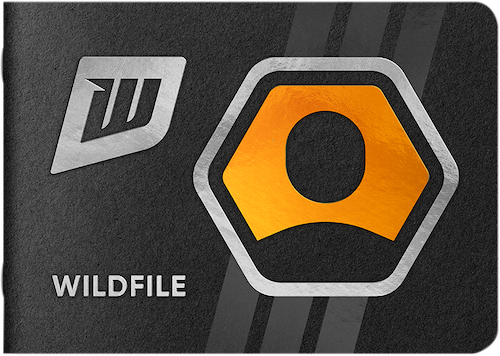
The Wildfile is a soulbound NFT that records (and ultimately rewards) your participation in the Wildcard universe. Your Wildfile is your own unique permanent record of Your Life in the Wildcard Universe, stored on the blockchain. As a soulbound NFT, your Wildfile is your identity in Wildcard and is not meant to be traded or transferred between different users.
During the initial early access phase, Wildpass holders will be able to claim their Wildfile by connecting the wallet holding their Wildpass to the Wildfile smart contract. Holders will receive the lowest available Wildfile number between #1-4,444 on a first come, first serve basis. Those who claim their Wildfile early will claim the Wildfiles with the lowest numbers.
Wildfiles can be claimed for free on the Wildcard Discord server – we even pay the gas.
Your Wildfile is a living record of your legacy in the Wildcard universe. In this early iteration, you can show off your Wildcard collectibles and track attendance for community events.
Yes, users with multiple Wildpasses can claim multiple Wildfiles as long as each Wildpass is in a unique wallet. They can connect each unique wallet, holding a unique Wildpass, to the Wildfile smart contract and claim a unique Wildfile if they choose. As we noted earlier, the Wildfile is meant to be the unique record of a users’ activity in the Wildcard universe, it is not recommended that users claim multiple Wildfiles to track their Wildcard activity.

.svg)
.svg)
.svg)
.svg)
.svg)


.svg)